
Property-Based Testing in .NET with FsCheck and Xunit
Learn property-based testing in .NET using FsCheck and Xunit to verify code properties, uncover edge cases, and improve reliability

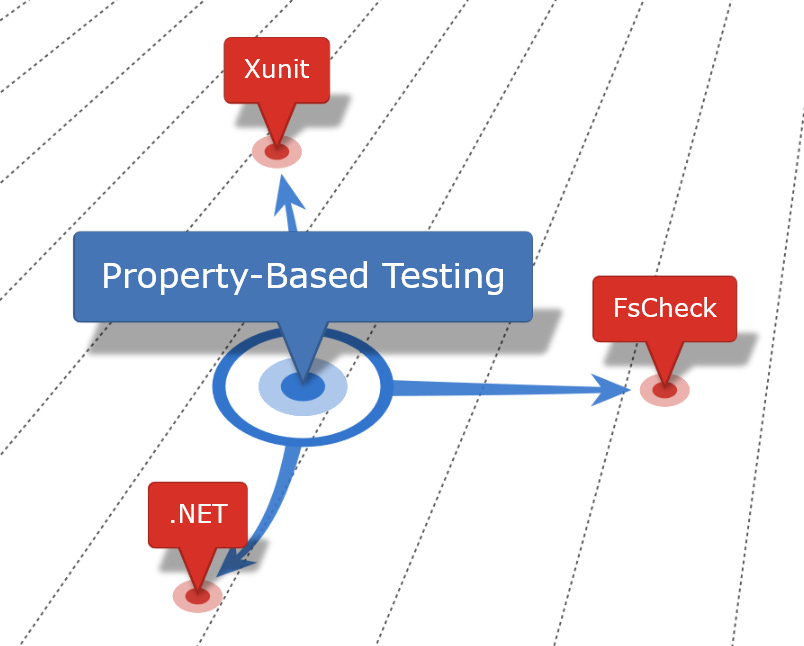
Property-based testing is a powerful testing approach that allows developers to test the fundamental behaviors and properties of their code with high coverage and efficiency. Unlike traditional unit testing, which verifies specific examples, property-based testing checks that certain properties or rules hold true across a wide range of generated inputs. This style of testing is especially useful when testing algorithms or low-level data manipulation, as it helps uncover edge cases that might otherwise be missed.
In this post, we'll explore how to set up and use property-based testing in .NET using FsCheck, a library that integrates with Xunit. We'll walk through a practical example of property-based testing using a BitFlagsTests class to test the behavior of a class specialized in encapsulating a collection of flags.
Generally, Bit Flags are not recommended. Please remember that this article will explore property-based testing, not advertise the use of Bit Flags.
FsCheck and Xunit Setup
Before diving into the code, let’s ensure that we have FsCheck and FsCheck.Xunit installed.
In your .NET project, add the FsCheck and FsCheck.Xunit packages via NuGet:
dotnet add package FsCheck
dotnet add package FsCheck.Xunit
In your test files, import FsCheck and FsCheck.Xunit to enable property-based testing functionality. Use the [Property] attribute, which comes with FsCheck.Xunit, to mark methods as property tests that FsCheck will validate.
The example code below demonstrates how to use property-based tests to validate bit flag operations. We’ll look at a sample class, BitFlagsTests, and explore each test to understand how it verifies specific properties of bit flags.
using FsCheck;
using FsCheck.Xunit;

namespace CCD.FundamentalAnalysis.Domain.Tests.PropertyTests;

public class BitFlagsTests
{
    private static BitFlagPosition CreateBitFlagPositionFromByte(byte b)
    {
        return BitFlagPosition.FromValue((byte)(b % 8));
    }
    ...
}
Setting a Flag
[Property]
public void SetsAFlag()
{
    Prop.ForAll<byte>(b =>
    {
        var flag = CreateBitFlagPositionFromByte(b);
        var flags = BitFlags.False | flag;
        return flags == flag;
    }).QuickCheckThrowOnFailure();
}
For any byte value b, we generate a BitFlagPosition using CreateBitFlagPositionFromByte(b). Then, we use a bitwise OR operation (|) with BitFlags.False to set this flag in the local flags variable.
This tests ensures that the bit represented by the flag position within flags is set.
Using Prop.ForAll<byte> allows the use of randomly generated byte values to form a BitFlagPosition instance. This enables testing beyond a single, specific value and pushes testing to the edges or bounds or limits of the code under test.
Idempotence of Setting a Flag
In SetsAFlagTwice, we validate that setting the same flag twice doesn’t change the result. This is an example of idempotence, where applying the same operation multiple times should yield the same result.
[Property]
public void SetsAFlagTwice()
{
    Prop.ForAll<byte>(b =>
    {
        var flag = CreateBitFlagPositionFromByte(b);
        var flags = BitFlags.False | flag | flag;
        return flags == flag;
    }).QuickCheckThrowOnFailure();
}
After setting a flag twice using BitFlags.False | flag | flag, we expect the result to be identical to setting it once. This ensures that setting the same flag multiple times does not create an unexpected state. Again, random byte values are generated for reaching the bounds of the code under test.
By leveraging FsCheck and Xunit, .NET developers can ensure that fundamental properties hold true, helping to uncover potential edge cases and enhancing the reliability of the code.
Prefer using this in your Deployment Pipelines not your quick unit testing commit stage. As of this writing, this code adds about one second to an otherwise 40 millisecond suite of unit tests.
In future posts, we’ll explore more advanced techniques, such as handling complex data generation and incorporating property-based tests in larger applications. Stay tuned for a deep dive into bitwise operations and more essential testing practices!